Origami
0.28.4See what's new

You, on your terms.

A terminal manager that keeps terminals, agents, and commands together as saved project workspaces.

Origami
Loops
Agents
Terminals
Commands
Agents
Terminals
Commands
Tabs⌘P Actions⇧⌘P
Origami
What's next for Origami?
Ask anything, @ to bring something in, / for a command
Edit freelyOpus 5.5
origami main
Start from this workspace
Review the changes on main 2 files
Take ORI-45 from the board Snap the sidetrack's width to the terminal grid
Explain how this code is laid out origami
Plan a feature Before any code
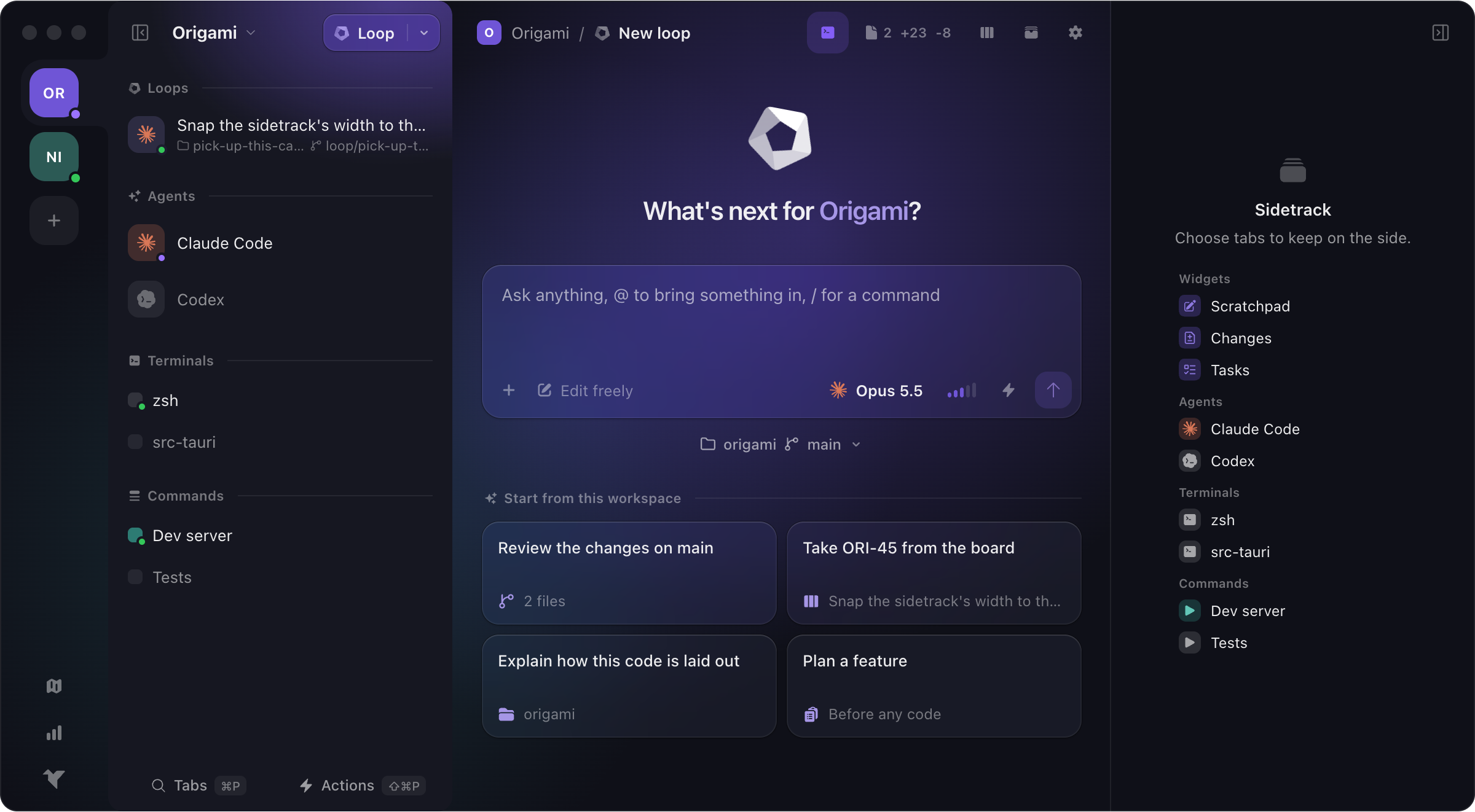
Origami: two workspaces on the rail, a workspace's loops, agents, terminals and commands in the sidebar, a new loop, and the sidetrack.

Origami adapts to you and your tools.

Group all your agents, terminals and commands in a workspace. Then, have all your workspaces in Origami. Switching projects becomes a no-brainer.

Should you subscribe?

Origami offers a very generous free tier without gating features behind subscriptions. For most users, free tier is more than enough. For power users or Origami supporters we offer a single subscription that removes the workspaces and workspace items limits.

Free

For developers getting organized.

€0For good
Download free
  • Workspaces
  • Terminals, agents, and commands
  • Built-in git panel
  • Kanban board
  • Artifacts
  • Built-in MCP tooling
  • Full keyboard navigation
  • Idle notifications
  • Up to 5 workspaces
  • Up to 10 items per workspace

Origami+

For power users with lots of projects.

Subscribe
  • Everything in the Free plan
  • Unlimited workspaces
  • Unlimited items per workspace
  • Up to 5 devices
  • Early-access to new features
  • Priority support

Enterprise

For teams buying seats together.

€15Per month
Subscribe
  • Everything in Origami+
  • From 5 seats up
  • 2 devices per seat
  • One invoice, one renewal
  • Invite and revoke anytime
  • Admin roster with device control

Payments are handled by Stripe.

General questions

What exactly is Origami?
A terminal manager that organises your work by project. A workspace keeps a project's terminals, agents, commands and browser tabs together.
Does it replace my terminal?
It can. Every tab is a real terminal running your own shell and dotfiles, so there is nothing to set up again.
Which agents does it support?
Any agent that runs in a terminal. Claude Code, Codex, Copilot, Antigravity, OpenCode and Pi have ready-made entries; you install and sign in to them yourself.
Is it really free?
Yes. Origami Free has every feature and needs no account, with up to 5 workspaces and 10 items in each. Origami+ removes those limits for €5 a month.
Does my work leave my machine?
No. Your terminals, commands, files and agent conversations are never sent to us. Only subscribers give us anything: an email address and the devices their licence is used on.