You, on your terms.
Origami brings the power of workspaces into CLI tooling so you can switch contexts without switching anything else.
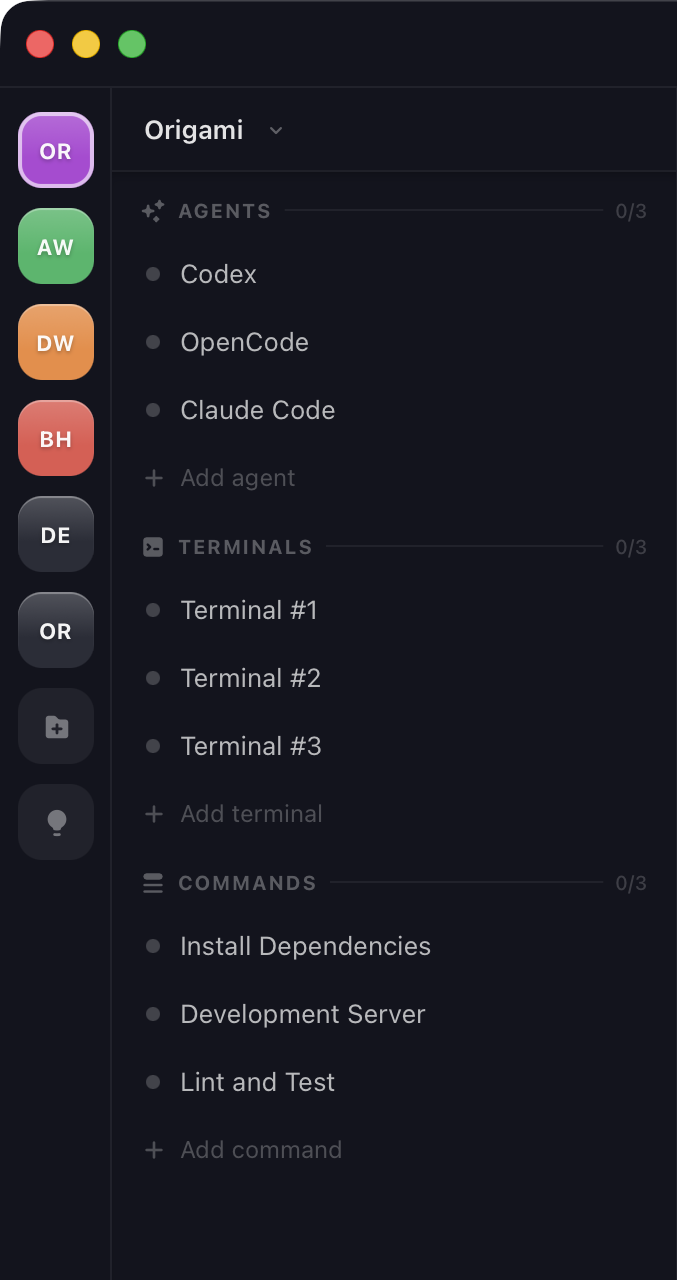
At a glance.
See for yourself what Origami looks like and what it can do for you. Just a glimpse.
Workspace management
Remember closing and opening all your CLIs everytime you had to switch projects? No more.
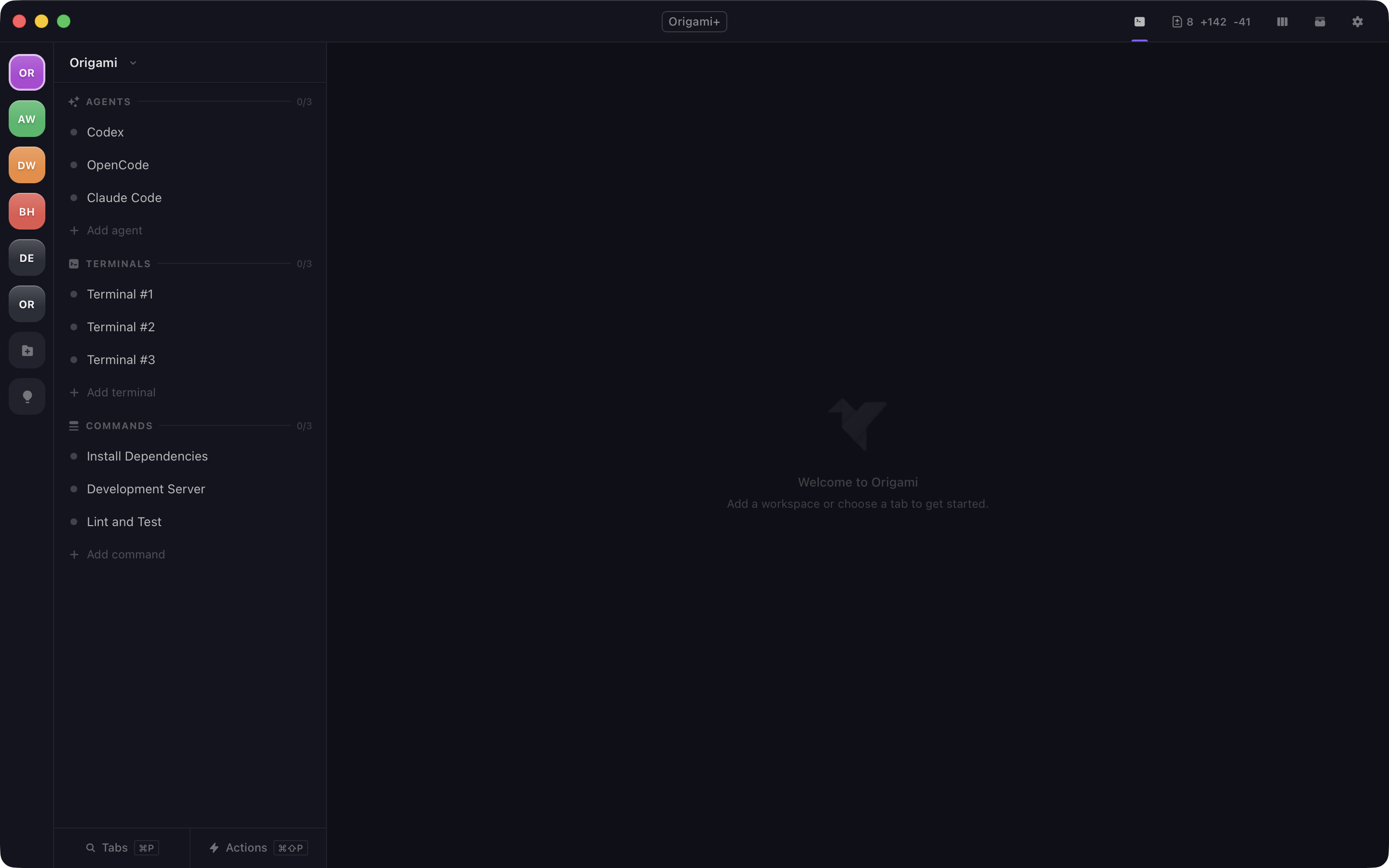
Agents, Terminals and Commands
Each has its own set of built-in functionality but the key point is - they adapt to your already existing shell.
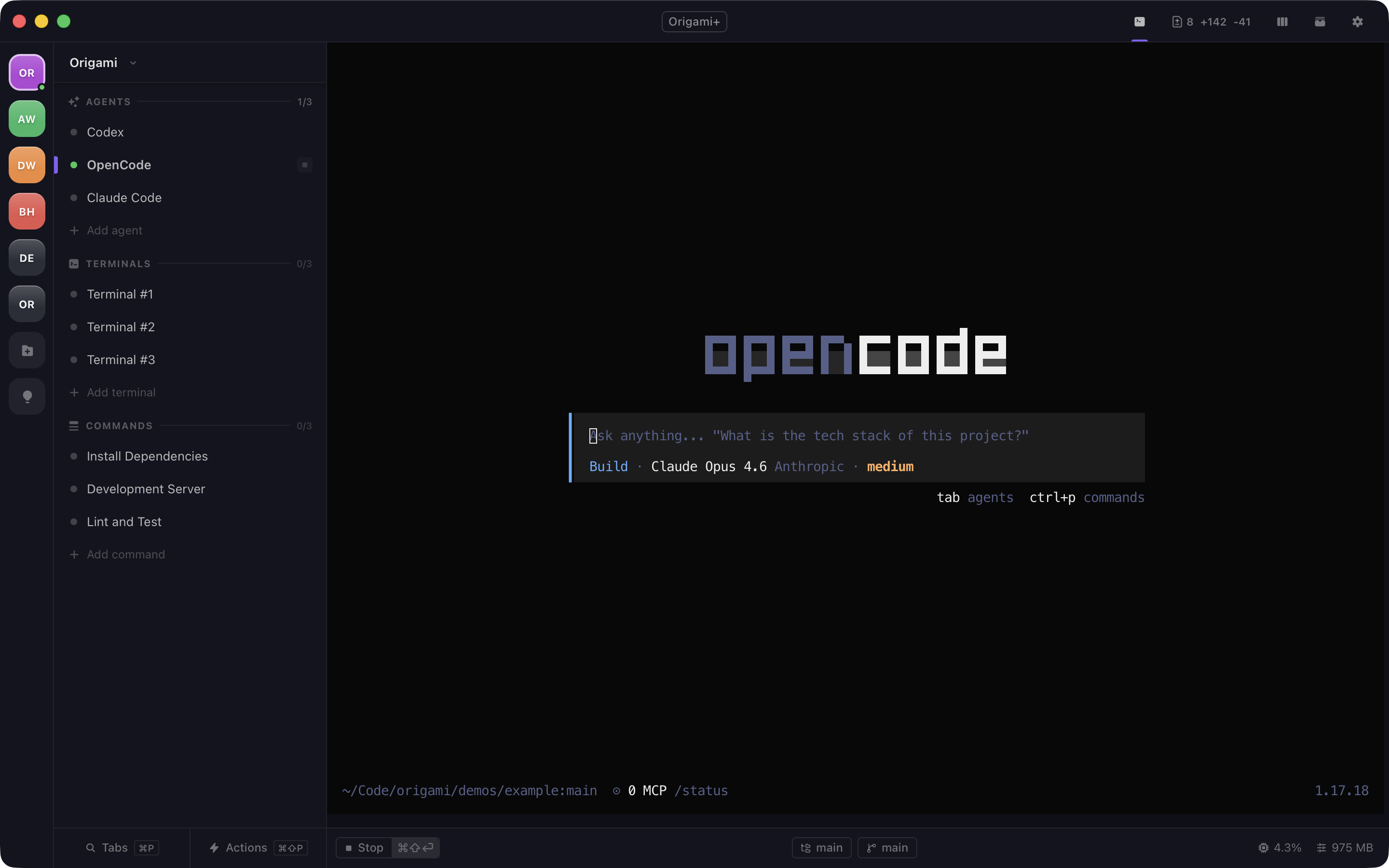
View changes, commit and push them without leaving Origami.
Your full git workflow sits next to your shells. Review changes, write commits, manage branches - no context switch, no separate client.
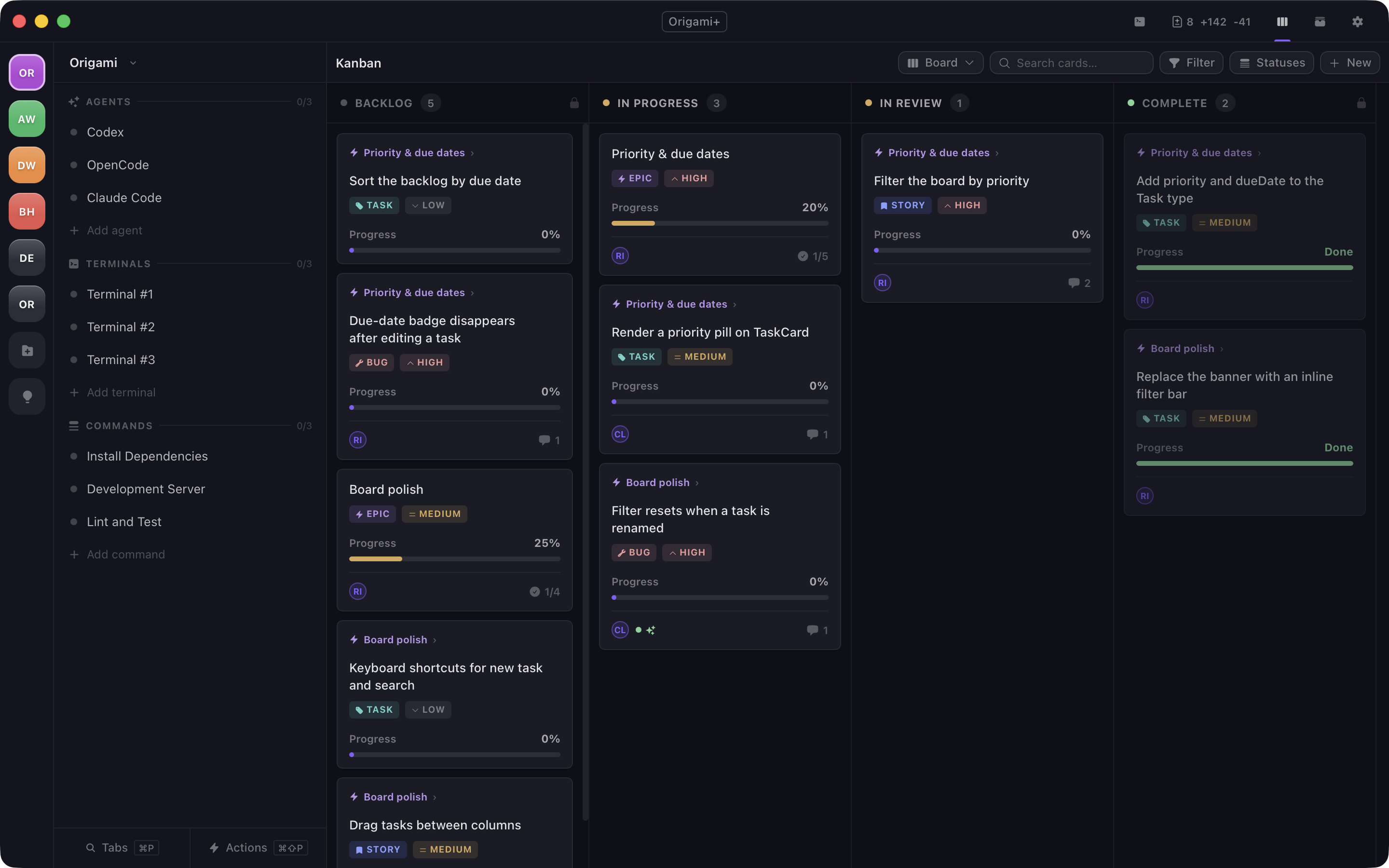
A board per workspace that agents can write to.
Columns hold cards, cards hold the work, and every change to a card is recorded.
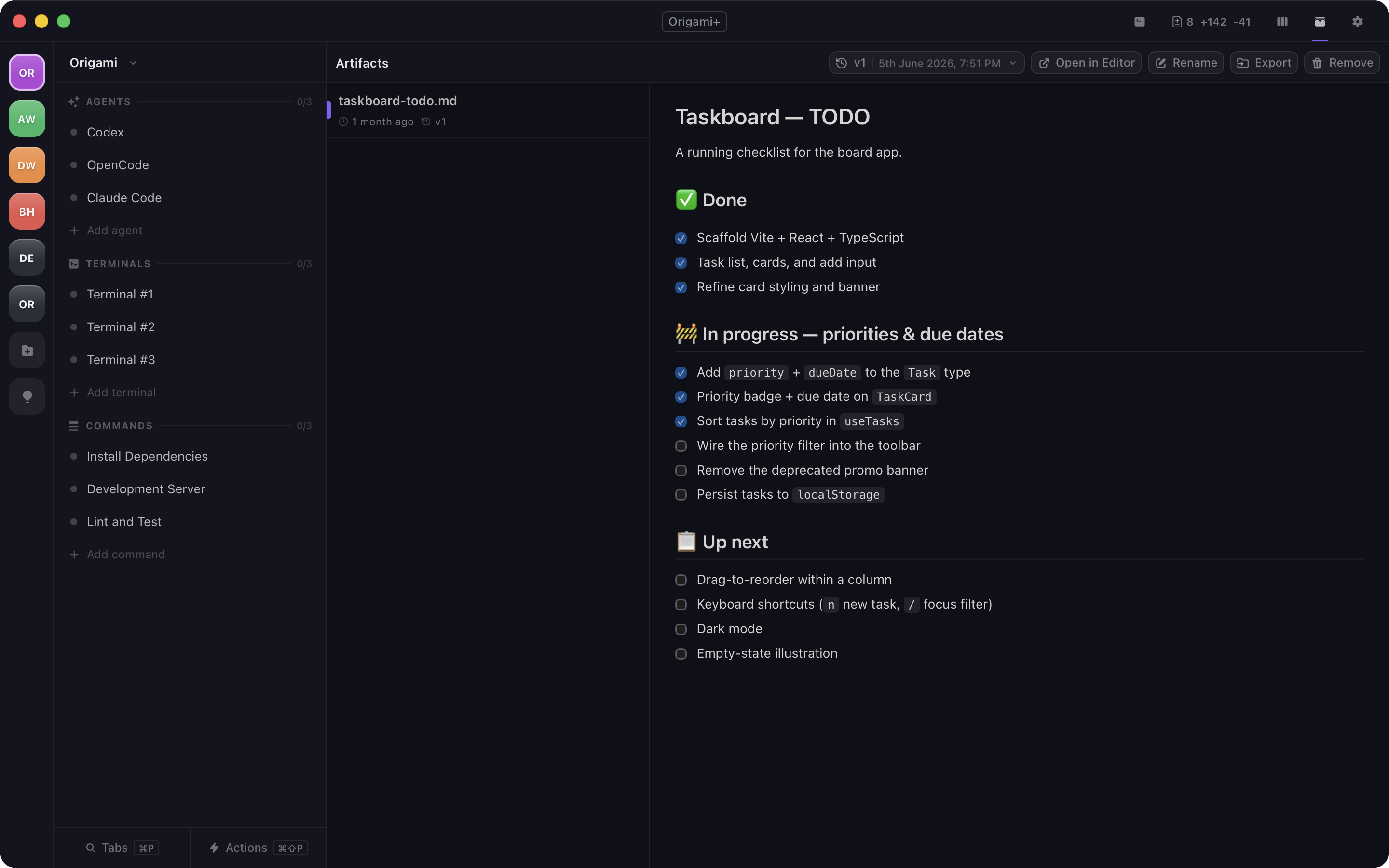
Where agent output lands, rendered properly.
Documents an agent publishes into the workspace, rendered in the app and kept as versions.
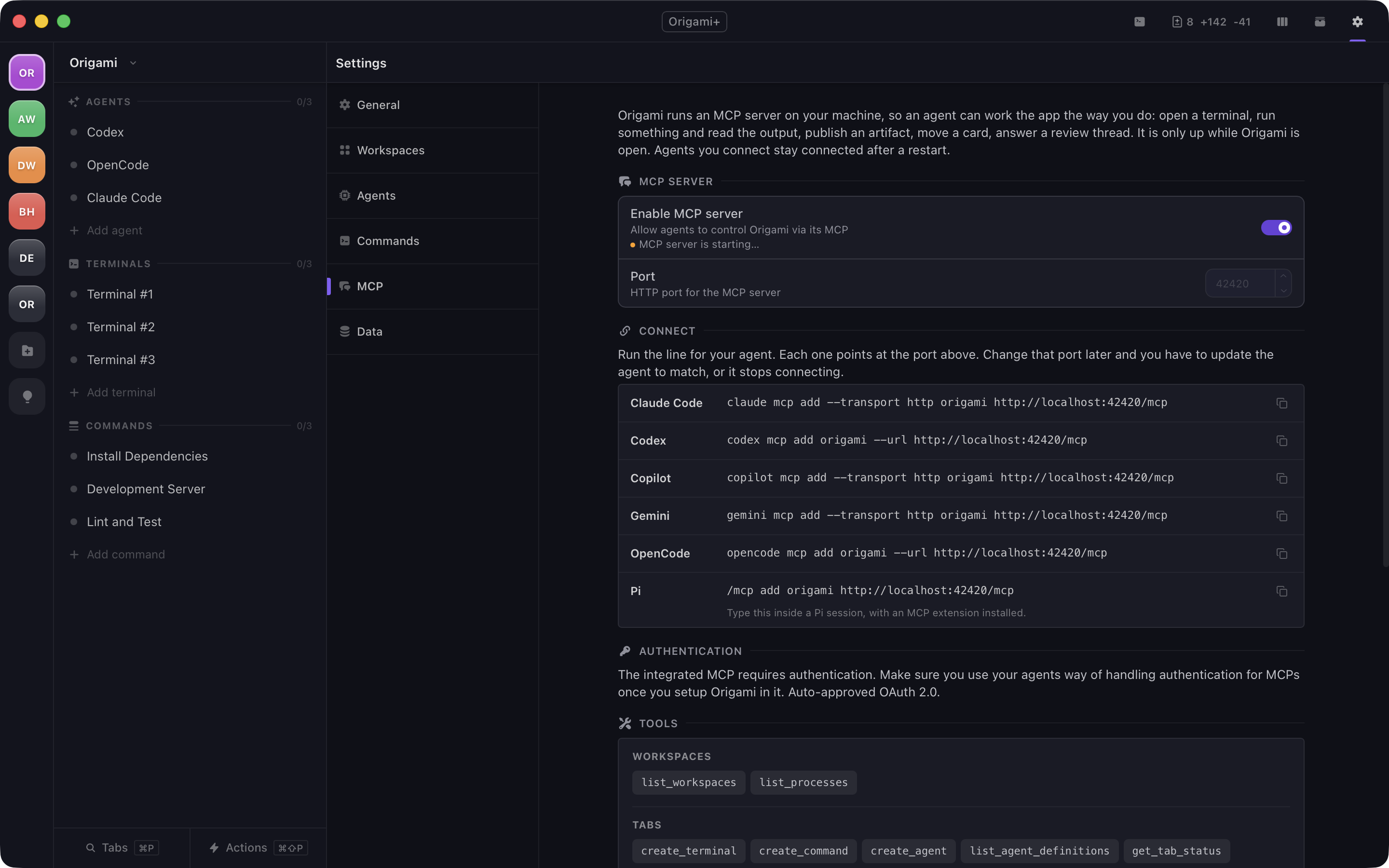
Turn Origami into tools for any agent.
Origami runs an MCP server on your machine, so an agent can work the app the way you do: open a terminal, run something and read the output, publish an artifact, move a card, answer a review thread.
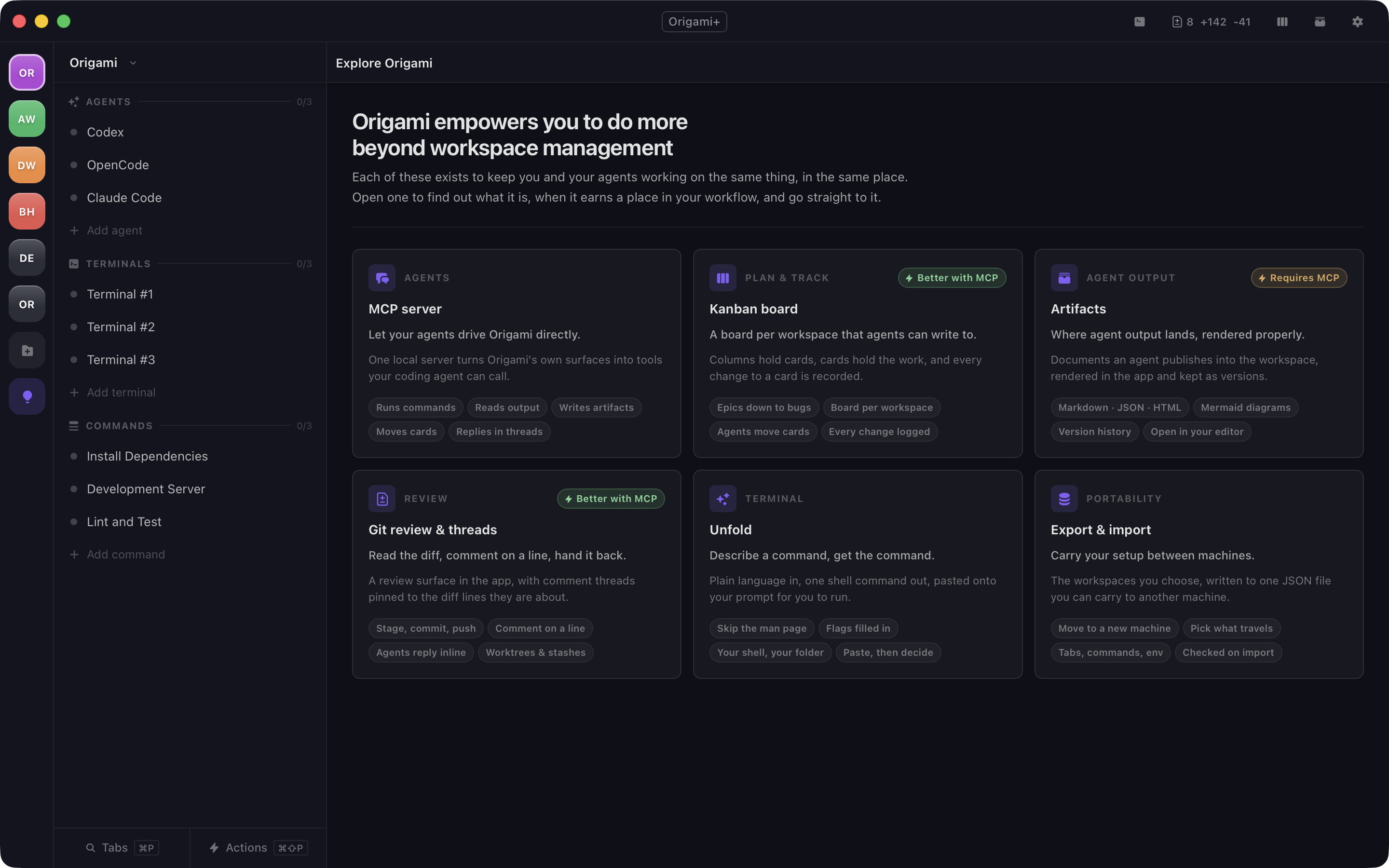
Everything it does, in one place.
Each of these exists to keep you and your agents working on the same thing, in the same place. Open one to find out what it is, when it earns a place in your workflow, and go straight to it.
Origami adapts to you and your tools.
Not the other way around. It doesn't replace your shell, your editor, or your process. It gives them a shared home.
-
01 Workspaces
-
Group all your agents, terminals and commands in a workspace. Then, have all your workspaces in Origami. Switching projects becomes a no-brainer.
-
02 Agents, Terminals and Commands
-
Fancy terms for terminals, each with its own set of features for ease of organization. In the end, they all do the same and wrap around your tools.
-
03 Keyboard Flow
-
Origami has shortcuts baked in for pretty much every action. Be it directly for UI switches or via the Command Palette.
-
04 Built-in Git Tooling
-
See your agentic updates in real-time without leaving the app. Commits, pushes, stashes and worktrees supported too. Read the diff, comment on a line, and let your agents reply inline.
-
05 Kanban Board
-
A board per workspace that agents can write to. Columns hold cards, cards hold the work, and every change to a card is recorded.
-
06 Artifacts
-
Where agent output lands, rendered properly. Documents an agent publishes into the workspace, rendered in the app and kept as versions.
-
07 Unfold
-
Describe a command, get the command. Plain language in, one shell command out, pasted onto your prompt for you to run.
-
08 Origami MCP
-
Enabling the MCP for your agents gives them access to control Origami. Manage tabs on demand, read logs by offset from any tab and much more.
-
09 Export and Import
-
Carry your setup between machines. The workspaces you choose, written to one JSON file you can carry to another machine.
-
10 Notifications
-
Left your agent working and forgot about it? Origami will let you know when it is waiting for you or when it finished processing your requests.
-
11 And also!
-
Workspace environment variables, autostartable commands, UI customization... and more coming soon.
Should you subscribe?
Origami offers a very generous free tier without gating features behind subscriptions. For most users, free tier is more than enough. For power users or Origami supporters we offer a single subscription that removes the workspaces and workspace items limits.
For developers getting organized.
- Workspaces
- Terminals, agents, and commands
- Built-in git panel
- Kanban board
- Artifacts
- Built-in MCP tooling
- Full keyboard navigation
- Idle notifications
- Up to 5 workspaces
- Up to 10 items per workspace
v0.26.0 · Sep 20, 2026
For teams buying seats together.
- Everything in Origami+
- From 5 seats up
- 2 devices per seat
- One invoice, one renewal
- Invite and revoke anytime
- Admin roster with device control
General questions
See if these answer your questions, if not, you can always reach out to us and we'll get back to you.
What exactly is Origami?
A macOS app that organizes terminal work by project. Each workspace groups shells, agents, and saved commands so you stop rebuilding context every time you switch.
Does it replace my terminal?
No. Every tab runs a real shell process - same shell, same config, same dotfiles. Origami adds project structure on top.
Which agents does it support?
Ships with Claude Code, Codex, Copilot, Gemini, OpenCode, and Pi. You can also define custom agents for any CLI tool.
Is it free?
Yes. Free includes every feature with up to 5 workspaces and 10 items each. Origami+ (€5/mo or €50/yr) removes those limits.
macOS only?
For now, yes - macOS 13 Ventura or later. Other platforms are on the roadmap.
Is my data safe?
We only collect what's strictly necessary for the app and subscriptions to work - that's your email, and only if you subscribe. No analytics, no tracking cookies. See the privacy policy for the full picture.
What happens if my Enterprise seat is revoked?
The app drops back to Origami Free - you keep every workspace and item, just capped at the free limits. If you also have a personal Origami+ key, paste it in to get Origami+ back on your own subscription.
Need help with something else?
Whether it's a bug, a billing question, or a feature idea - reach out and we'll get back to you as soon as possible. You can also email us directly at [email protected], both end in the same place.